


Top Reasons for Slow WordPress Website Speed and How to Fix Them
Introduction
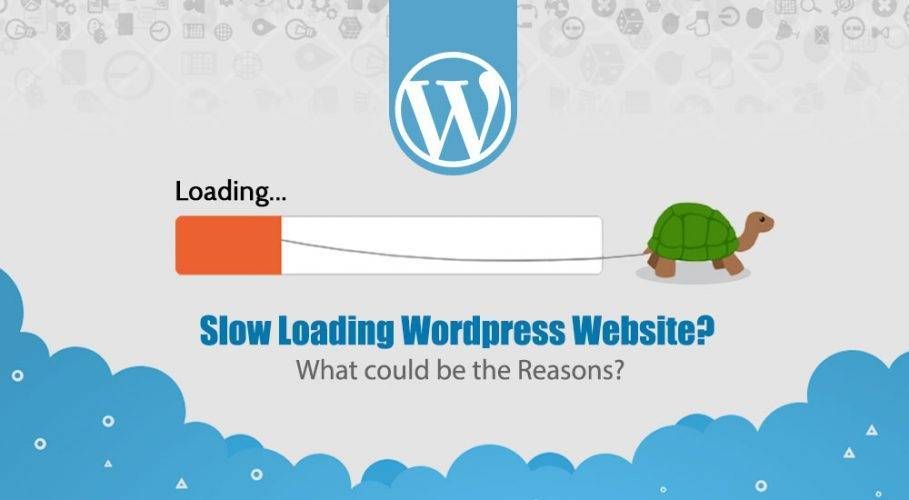
Nearly every business has a website today. The question is - Do they maintain? Maybe not all of them. Especially when you have chosen the fastest way to make your website and have landed a choice on WordPress Web Development. Indeed, WordPress is the best CMS in the world. But taking it for granted and not giving it proper care can result in a problem. Such as the slow loading of a website. Who likes it? No one does.
Just a back button can make your competitor win. And what else can you expect? Well, we can see there are many websites. In fact, this slow-loading problem of websites is ignored by many. Why be so ignorant about the technicalities of our own website?
Well, this blog is talking about the WordPress platform. And for those who have a slow loading of a website on this platform. Let’s have an insightful idea of what could be the reasons behind it.
Key Reasons Behind Slow Website Speed
Here are some of the aspects to prevent your website from loading slowly.
Improper Web Hosting
Any website with poor web hosting can result in a slow-loading and non-engaging website on the internet. There are multiple web hosting options available, depending on the servers. In the case of dedicated servers, the website loading time can be highly optimized and great performing. Because the dedicated servers perform as the name suggests.
Dedicated to a single website. And that’s what makes them completely responsible for a single website instead of sharing many. While in shared servers, the problem of slow loading arises at a higher rate. The multiple websites being hosted on a single shared server make it overloaded and so in a slow response time. So choosing WordPress does not end all the problems for a proper digital platform, but a proper web hosting matters, too.
Also, there are web hosting options like VPS and cloud hosting. But what matters is the high raised pricing of cloud hosting. Whereas the VPS comes as the middle option between the dedicated and shared servers.
Overloaded Plugins
Plugins - one of the most worrisome signs of a WordPress developer. You can’t do it all with the plugins. Yes, WordPress does have a plugin for every single implementation. But reducing the number of plugins does have some meaning.
Optimizing the custom shortcodes as well as animations does make sense. Also, some of the plugins that are hardly used once a year need not be installed permanently in the WordPress admin. Removing unnecessary plugins is a genuine and good practice to follow.
The plugins that reduce the responsiveness of a server, along with the constant lack of cache. This results in a huge issue with website loading. So reducing the plugins matters a lot in designing a website with WordPress. However, finding a WordPress developer who should be interviewed before hiring about his/her HTML/CSS skills to avoid an excess of plugins.
Render Blocking JavaScript
Have you ever tested your website with Google Insights? It shows a complete view of how your website is scoring at loading. Also shows some of the imperative factors called Render-Blocking JavaScript and CSS. These render-blocking events occur whenever the browser goes to render a page and has to go through the script before loading. This results in a lot of loading time and, hence, adds an extra mile to the slow-loading website tag.
External scripts are having an increased time of downloading resources, and it forces multiple loading attempts to the browser. Well, it can be caused by using Facebook, Twitter, or whatever widget is embedded. This can be fixed by a specific line of code, i.e., approaching an expert WordPress developer.
Non-Optimized Images
Images- this one is the general thing that everyone can understand. Images can be of more MBs. But what we can do with them is a good optimization. As we know, graphic designers have tools that can do anything with pictures. Why not use them to the fullest? Ask your graphic designer to optimize the image, make it better at a resolution, and there you go for posting on a WordPress site.
Also, learning from graphic designers about different resolutions of images and image tools can better aid in optimizing the website.
Unnecessary Redirects
Migrating your website may have many issues. Migrating from another platform to WordPress may have some links that do not work. And the worst thing is, you are ignorant about it. In the cases where a server needs to go to the pages before the original page. In case of misleading redirection of pages, you may need to remove the old URLs and conduct a strict check before the final publishing of a website. Because this can lead to a bad impression on the clients, as well as add a plus in loading time.
Concluding Remarks
A slow-loading WordPress website can adversely affect user experience and hinder business growth. It is imperative to avoid certain factors to significantly improve your site speed. Regular maintenance and expert help can keep your website fast and engaging for visitors.


 Have an Idea?Let’s Build It Together!

 B1-Ground Floor, Safal Profitaire, Corporate Road, Prahladnagar, Ahmedabad, Gujarat, India - 380015


 + 1 302 803 4919
 usa@siliconithub.com

